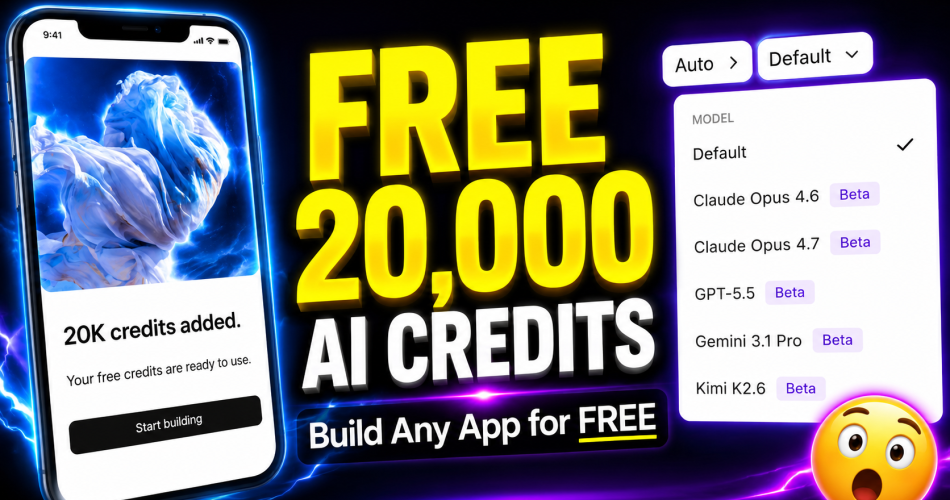
Let me be straight with you from the start. When someone first told me there’s a free AI app builder handing out 20,000 credits — and that those credits include Claude Opus 4.7, the same model that costs $20 a month on Anthropic’s platform — my first thought was: “Sure. What’s the catch?”
So I signed up. I tested it myself. I built things.
And honestly? I’m a little surprised by what I found.
What Is Anything.com — And Why Does It Feel Different?
Sign up Link 👉 Anything.com is an AI-powered app builder. No code. No design background. No expensive software subscriptions. You bring an idea, and the platform turns it into a real, working app.
Now, there are a lot of “AI app builders” floating around right now. Most of them either feel too basic to be useful, or the free plan is so restricted that you can’t actually build anything meaningful before hitting a paywall.
Here’s what makes Anything different.
The normal free plan gives you 3,000 credits. That’s fine, but not exactly exciting. However, if you sign up through a specific link, you get 20,000 credits straight into your account — no hoops, no tricks. And those credits include access to Claude Opus 4.7.
That’s the part that actually surprised me.
One thing worth mentioning upfront: this is a promotional offer. It could end at any point. If you’re reading this and it’s still active, it’s probably worth not waiting.
Two Modes — And This Is Where Most People Go Wrong
Before we talk about what you can build, there’s something important to understand about how the platform works. And it’s the thing I see most people skip — which is exactly why they burn through credits and walk away frustrated.
Anything has two modes:
Discussion Mode — This is for planning. Brainstorming. Asking the AI what’s possible, sketching out your idea, figuring out the structure. Very few credits are used here.
Thinking Mode — This is where Claude Opus 4.7 actually builds your app. Credits go faster here, but the output is also genuinely impressive.
The right workflow is simple: use Discussion Mode first. Explain your idea fully. Build the plan. Then switch to Thinking Mode and let it build.
Here’s why this matters. 20,000 credits sounds like a lot — and it is. But if you jump straight into Thinking Mode with complex prompts and no plan, you can burn through them in 15 prompts. That’s not an exaggeration. Plan first, build second. Every time.
What I Actually Built — Step by Step
A Website in 5 Minutes
My prompt: “Create a stunning 3D interactive portfolio website for a YouTube channel called The Build AI that reviews and teaches AI tools.”
I selected Plan Mode, hit send. The AI laid out a full structure — every section, every feature — before touching a single line of code. I reviewed it, approved it, and within 5 minutes, the website was ready.
What struck me was how easy iteration felt. I wanted my own logo on it. I uploaded the file, typed “replace the logo with mine,” and it handled it in seconds. Hit publish — and the site was live. You can connect a custom domain or download the entire codebase if you want to self-host.
One website done. Still had close to 19,000 credits left.
A Mobile Game in 10 Minutes
For this one, I switched to Claude Opus 4.7 — full power. I wrote a detailed prompt for a tower defense game and went with React.
The AI built a web app first. No problem. React makes it easy to convert — I typed “convert my web app to a mobile app” in the chat, and the mobile version was ready shortly after.
To run it on my actual phone, I needed the Expo app. Downloaded it, scanned the QR code, and there it was — a real tower defense game running on my phone. And honestly, it was actually fun to play.
You can also publish it directly through the platform and potentially add monetization. The app itself costs nothing to build.
(Full transparency: publishing to iOS requires an Apple Developer account at $99/year. Android is $25 one-time. The building part is free — the store submission has its own costs.)
What Else Can You Build?
Games and websites are just the starting point. Anything gives you access to over 40 native device features:
Camera access
GPS location
Haptic feedback
Barcode scanner
Push notifications
Which means you could realistically build a GPS-based fitness tracker, a recipe app that scans barcodes, a location-aware travel guide, or a meditation app with haptic feedback timers. This isn’t just toy stuff — you’re getting actual hardware integration.
How Far Do 20,000 Credits Actually Go?
Here’s an honest breakdown after testing:
What You Build
Credits Used
Simple landing page
~200
Multi-page website with animations
500–800
Full mobile game (multiple screens)
2,000–3,000
Realistically, 20,000 credits gets you two or three complex apps — or ten-plus simple ones. After that, the Pro plan is $19/month.
Use them with intention. This is not unlimited.
The Honest Limitations — Because You Deserve to Know
I’ve tested a lot of these tools. And the ones I trust are the ones that tell you what they can’t do, not just what they can.
So here’s what Anything.com genuinely can’t do:
Credits are finite. 20,000 is a solid head start, but complex projects will eat through them. Budget accordingly.
These are simple apps. Think Flappy Bird, not Call of Duty. Quiz games, habit trackers, utility apps — yes. AAA games with complex physics engines — no.
Generated code can have bugs. You’ll need to test, tweak, and iterate. This is not a magic button. The AI does most of the heavy lifting, but you still need to check the work.
App store approval isn’t guaranteed. Apple’s review process is strict. Design quality matters. You may need to polish before submission.
None of this makes the tool less valuable. It just means you should go in with realistic expectations — which, in my experience, makes the actual results feel even more impressive.
So Is It Worth It?
I’ve genuinely tested dozens of free AI app builder tools over the years. Most promise a lot and deliver something mediocre. A few are decent. Very few actually surprise me.
This one surprised me.
20,000 credits. Claude Opus 4.7 access. Over 40 device features. Direct publish options. Monetization potential. All on a free plan through a specific link.
If you’ve got an app idea sitting in the back of your head — a game, a tool, a website — this is a real place to start. For free. Right now.
Get your 20,000 free credits here Link 👉: anything.com
Want to go straight to building a mobile app? Use this link: Anything Play Store Launch
Final Thought
App development doesn’t have to sit behind a $50/month subscription wall anymore. That’s genuinely changing. Tools like this are part of why.
Just remember — plan first, build second. Use Discussion Mode before you touch Thinking Mode. And go in knowing what this tool is built for.
The rest? It handles surprisingly well.